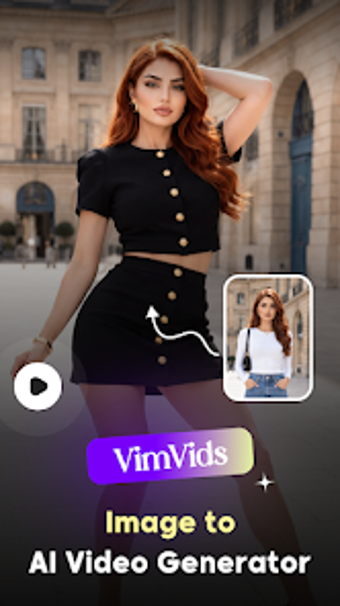
VimVids: Mobile AI turns photos into short promotional videos
Turn photo libraries into short promotional videos using AI-powered styles, transitions, and effects, produced directly on Android devices. Orvyz Mobile Applications' business-productivity tool VimVids automates photo-to-video conversion, offering dynamic visual templates and fast rendering. The interface targets social media marketers and content creators who need quick promotional clips, while small business owners can repurpose product images into motion assets without desktop editing.
What the tool does for marketing and social output
VimVids converts still photos into ready-to-share videos by applying AI-driven visual styles and effects to image sequences. The app focuses on transforming existing business photographs into marketing material, producing short clips suitable for social feeds and ads. The developer positions the app for social media content creators, digital marketers, and small business owners who want motion content from static assets.
How the typical production workflow runs
Workflow follows a simple select-apply-render loop: pick photos, choose a dynamic style, and let the AI generate the video. The sequence emphasizes minimal manual editing, with predefined visual styles and automated transitions guiding pacing and composition. Fast rendering is listed as a feature, so users can produce multiple variants quickly for A/B testing or feed scheduling.
Interface, onboarding, and required skill level
The interface targets on-the-go productivity rather than advanced editing, offering a simplified image selection and processing view. The source states the app requires no professional editing skills, which matches an onboarding path aimed at non‑specialists. Regular updates add new creative options, reducing the need for deep training while keeping style choices fresh for repeat campaigns.
Compatibility, output formats, and performance
Android delivery and device-dependent performance define compatibility; the app is available via the Google Play Store and lists Android as its supported platform. The program highlights fast rendering and a mobile-first design, which implies suitability for standard business hardware when producing short clips. The developer notes active updates, which affects ongoing format and style additions.
Who should use VimVids and when to consider alternatives
VimVids suits marketers and solo content creators who need quick, mobile-produced video from photo assets and who accept automated style choices rather than frame-by-frame control. For teams that require detailed timeline editing or exact export format control, a dedicated desktop editor remains more appropriate. VimVids performs well when speed and mobile convenience are the primary requirements.